Table of Contents
- Quick Summary: The Anatomy of a Pin
- Why Understanding Pinball Machine Parts is Crucial
- Category 1: The Playfield & Core Structure
- Category 2: The Electromechanical Heart (Solenoids, Coils & Switches)
- Category 3: Iconic Playfield Features & Toys
- Category 4: The Electronics & Control Systems
- Category 5: The Cabinet & External Assembly
- Bringing It All Together: How Parts Create the Game
Quick Summary: The Anatomy of a Pin
Understanding pinball machine parts demystifies how these games work. At its core, a pinball is an electromechanical system where player input (flippers) meets physics (the ball), controlled by electronics (the CPU), and enhanced by toys and mechs (ramps, magnets, targets). Knowing the parts is key to playing, maintaining, and truly appreciating the machine.
Why Understanding Pinball Machine Parts is Crucial
Whether you’re a player aiming to master rule sets, a new owner performing basic maintenance, or a potential buyer assessing condition, part knowledge is power. It helps you diagnose issues, communicate effectively with technicians, and deepen your appreciation for the engineering marvel in front of you.
A Comprehensive Guide to Pinball Machine Parts
Category 1: The Playfield & Core Structure
This is the “stage” where the game happens.
- Playfield: The main inclined wooden surface, covered with artwork and clear lacquer or mylar for protection.
- Playfield Glass (or Glass): The heavy tempered glass that protects the playfield. Players never remove this while the game is on.
- Apron: The plastic or metal panel at the front of the playfield below the glass, often containing instructions or scoring information.
- Legs, Leg Bolts, & Levelers: The four legs (usually 28″-31″) that elevate the game. Levelers at the bottom of the legs allow for precise adjustment to ensure fair ball movement.
Category 2: The Electromechanical Heart (Solenoids, Coils & Switches)
These parts make things happen.
- Solenoid (Coil): An electromagnetic component that creates physical movement. When powered, it pulls a plunger to activate a part.
- Flipper Assembly: Consists of a flipper bat (the paddle), a flipper coil (the powerful solenoid that makes it flip), a linkage, and an end-of-stroke (EOS) switch.
- Slingshot (Kicker): The triangular assemblies on the lower playfield that fire the ball away when hit. Activated by a coil.
- Pop Bumper (Jet Bumper): The round, dome-shaped feature that violently “pops” the ball away when struck. Contains a ring, a skirt, a cap, and a coil underneath.
- Switch: A device that detects the ball (or a mechanical action). Rollover switches (in lanes), standup targets, and spinner switches all send a “the ball is here” signal to the CPU.
Category 3: Iconic Playfield Features & Toys
These define a game’s personality and shots.
- Ramps: Plastic pathways that carry the ball to upper playfields. A successful ramp shot is often a major points goal.
- Targets: Includes standup targets (single posts), drop targets (which fall down when hit and reset later), and bank targets (groups of targets).
- Spinner: A rotating paddle that adds speed and points when the ball passes through it.
- Orbits & Loops: Wraparound lanes that return the ball to the flippers, allowing for continuous “flow” shots.
- Magnets (Controlled): Electromagnets under the playfield that can stop the ball (for a mystery award) or redirect it (like in Twilight Zone‘s “Power” magnet).
- Toys & Mechs: Unique, theme-specific devices like The Addams Family‘s Mansion, Medieval Madness‘s Castle, or Godzilla‘s Building. These are the show-stoppers.
Category 4: The Electronics & Control Systems
The “brain” and “nervous system.”
- CPU (Central Processing Unit) Board: The main computer that runs the game software (ROM), processes all switch hits, and triggers the correct coils and lights.
- Driver Board: Takes low-power signals from the CPU and delivers the high-power voltage needed to fire coils and solenoids.
- Power Supply Board (PSU): Converts AC wall power to the various DC voltages needed by the boards and lights.
- Display: Shows the score and information. Can be an alphanumeric display, a dot-matrix display (DMD), or a modern full-color LCD screen.
- Fuses & Circuit Breakers: Protect the electronics from power surges and shorts.
Category 5: The Cabinet & External Assembly
The housing and interface.
- Cabinet: The wooden box that holds everything. The head (backbox) houses the display and boards. The body houses the playfield.
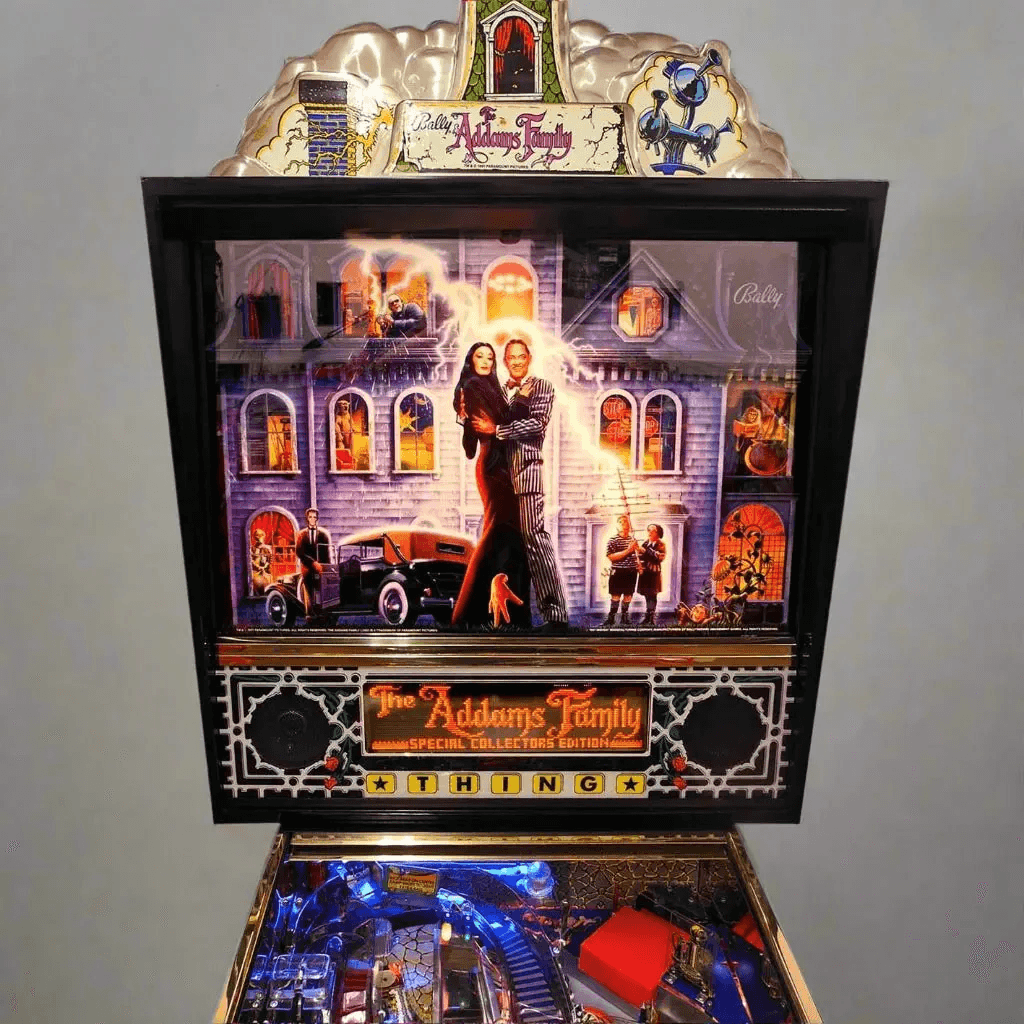
- Backglass/Translite: The vertical, often highly artistic, glass or plastic panel in the head. It displays the theme and contains scoring information.
- Coin Door: The front panel assembly for coin operation, often containing the main power switch and service buttons.
- Lockdown Bar: The metal bar that locks the playfield glass in place at the front of the cabinet.
Bringing It All Together: How Parts Create the Game
Here’s the magic: You launch the ball (plunger). It rolls over a switch, telling the CPU you’ve started. You hit a standup target; its switch closes, the CPU awards points and updates the display. The ball hits a slingshot; its switch closes, the CPU sends power to the slingshot coil via the driver board, firing the ball away. Every shot, light, and sound is this elegant conversation between physics and electronics.